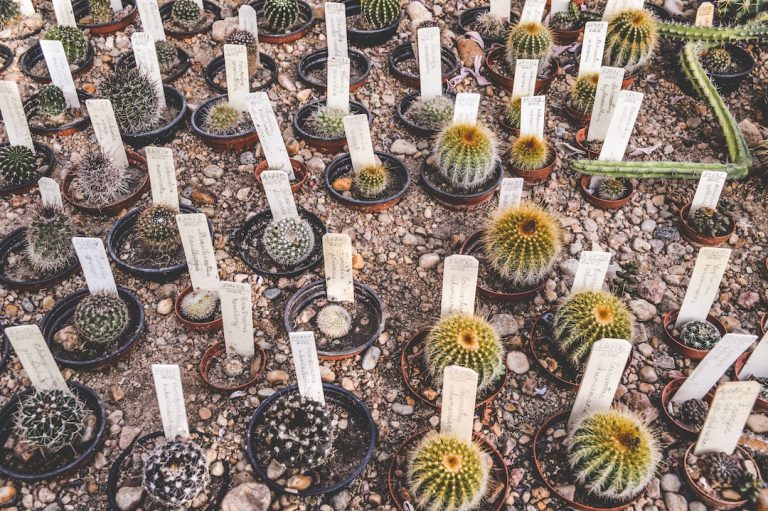

Why Smart Plant Labels Change Everything for Cactus & Succulent Collectors
If you’ve ever looked at a pot and thought:
- “What was this again?”
- “Did I repot this one already?”
- “Are these the seedlings from that special plant… or something else?”
…you’re not alone.
Over time, tags fade, names get lost, and the story of your plants starts to blur.
Collect::Grow::Show (CGS) exists to solve that problem — and our label system is at the centre of it.
CGS labels don’t just show a name.
They connect each plant in your collection to a living digital record you can update in seconds.
If you’re new to the platform, start with Welcome Collect::Grow::Show for an overview of how CGS organises your whole collection.
What are CGS plant labels?
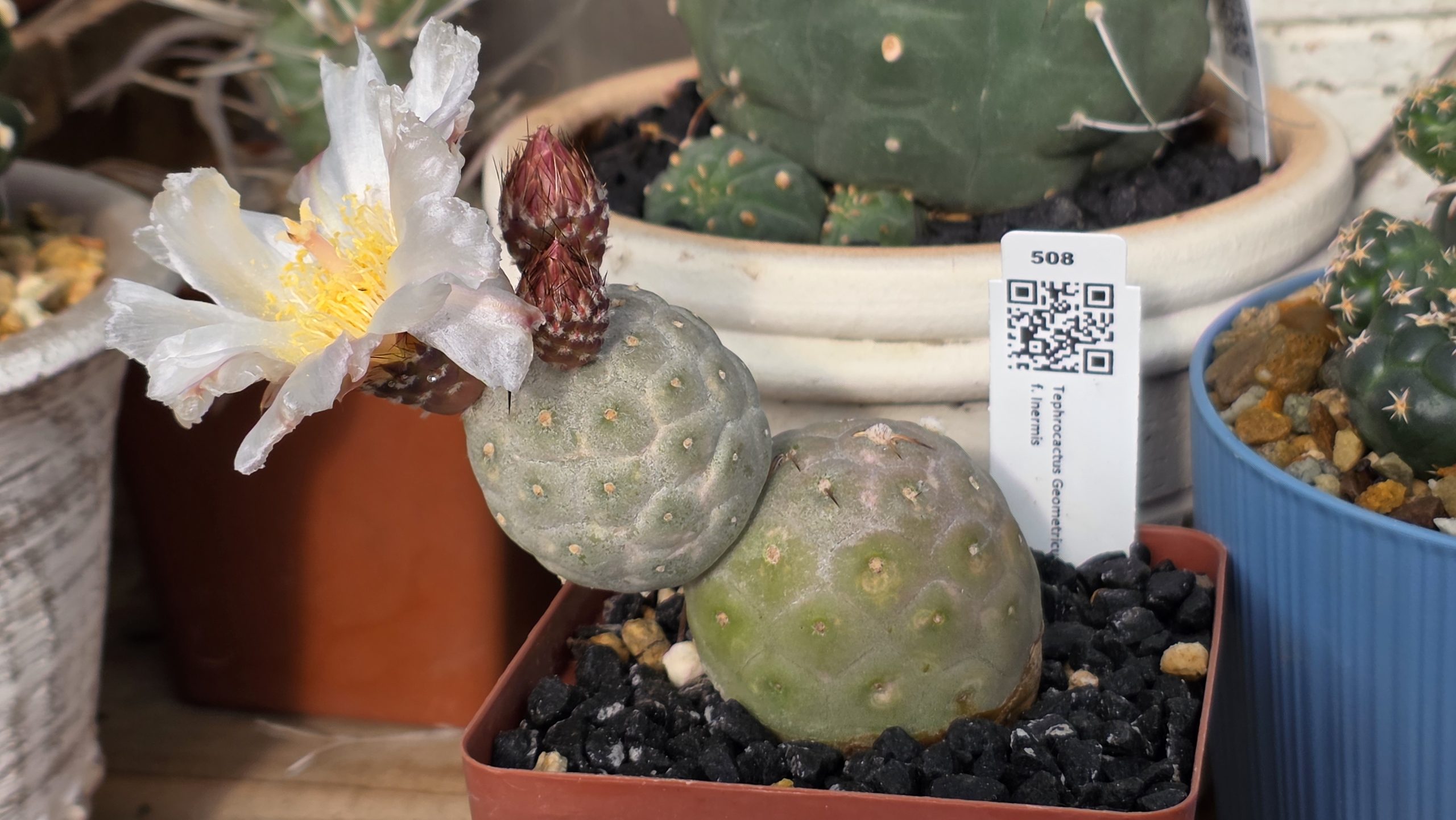
Every plant you add to CGS gets a unique Plant ID (PID) and a digital profile inside the platform.
A CGS label:
- Shows your plant’s PID
- Shows the species name
- Includes a QR code that links directly to that plant’s profile on CGS
Stick the label in the pot once, and from then on, you never have to guess what that plant is or where it came from.
Scan the QR with your phone, and you’re in.
Scan → Act: what happens when you scan a CGS label
When you scan a CGS label’s QR code, you go straight to that plant’s page in your CGS account (after login if needed).
From there, you can quickly:
- 📷 Add or update photos
Capture progress shots, damage, flowering, or “before and after” repot pics. - 🌱 Catalogue seeds after harvest
Record seed batches from that specific plant into your Seed Catalogue, including dates, counts, and how many you’ve used. - ✂️ Start a propagation
Log new propagations from cuttings, offsets/pups, or seed:- Record where the propagation came from (which parent plant or seed batch)
- Keep a clear genetic lineage as those propagations mature
- 🪴 Update pot & soil details
Record a repot event:- New pot size and type
- Which soil recipe you used
- The date of the change
- Any notes about why you repotted
All of this is tied back to that plant’s PID — and unlocked in seconds just by scanning the label.
This is what lets you build the complete story of each plant over time—explained in more detail in The Complete History of Every Plant
Why accurate labels matter so much
Without a solid labeling system, it’s very easy to:
- Lose track of species and origins
- Mix up similar-looking plants
- Forget what soil mix you used last time
- Lose the link between a parent plant and its seedlings or cuttings
With CGS labels and PIDs:
- Every pot has a clear identity
You always know which plant you’re looking at. - The digital record and physical plant stay in sync
One scan → one plant → one history. - Your collection stays organised as it grows
Whether you have 20 plants or 200+, you don’t lose the story.
How CGS labels fit into the bigger CGS system
CGS isn’t just labels — it’s the system behind them.
Your labels connect directly into:
- Plant inventory & PIDs
Each plant gets a unique PID and its own profile. - Species-aware profiles & galleries
See photos, notes, and quick stats for each plant, plus related plants of the same species. - Soil recipes
Reuse and refine mixes, and always know which recipe is in which pot. - Pot Event Manager
Track repots and pot changes over time, tied to real dates and decisions. - Seed Catalogue
Record what you harvested, when, and from which plant or source. - Propagation & Yield tracking
Follow the journey from parent plant or seed batch → propagation → Yield → new PIDs (or sold/traded plants).
The label is the “door handle” into all of this.
Scan → you’re at the right plant → you take action → CGS keeps the story straight.
Who CGS labels are for
CGS labels are designed for:
- New collectors who want to build good habits from the start
- Serious collectors who track rare or valuable plants
- Growers who need a clean record of what came from where, and what happened when
If you:
- Hate losing track of plant names
- Want a clear history for each plant
- Enjoy seeing how your collection evolves over time
…then CGS labels give you a simple, repeatable way to stay on top of it.
How to start using CGS labels
You don’t need a spreadsheet or a special printer.
- Create your CGS account
- Head to the get-started page to see the current plans and sign up.
- Add your plants
- Capture your plants into CGS; each gets a unique PID and profile.
- Order your labels
- From inside your account, select the plants that need labels and place a label order.
- You’ll receive durable, custom-printed labels with PID, species, and QR code.
Once they arrive, stick each label in its pot.
From that moment on, you can manage the plant’s story — photos, seeds, propagations, repots, and notes — with a simple scan.
Not ready to sign up yet?
If you’re curious about CGS but not ready to sign up:
Stay in the loop
Leave your email below and we’ll send occasional updates, feature previews, and practical tips for labelling and organising your succulent and cactus collection.
We’ll email you occasionally about CGS. See our Privacy Policy for details. You can unsubscribe anytime via the link in our emails.